
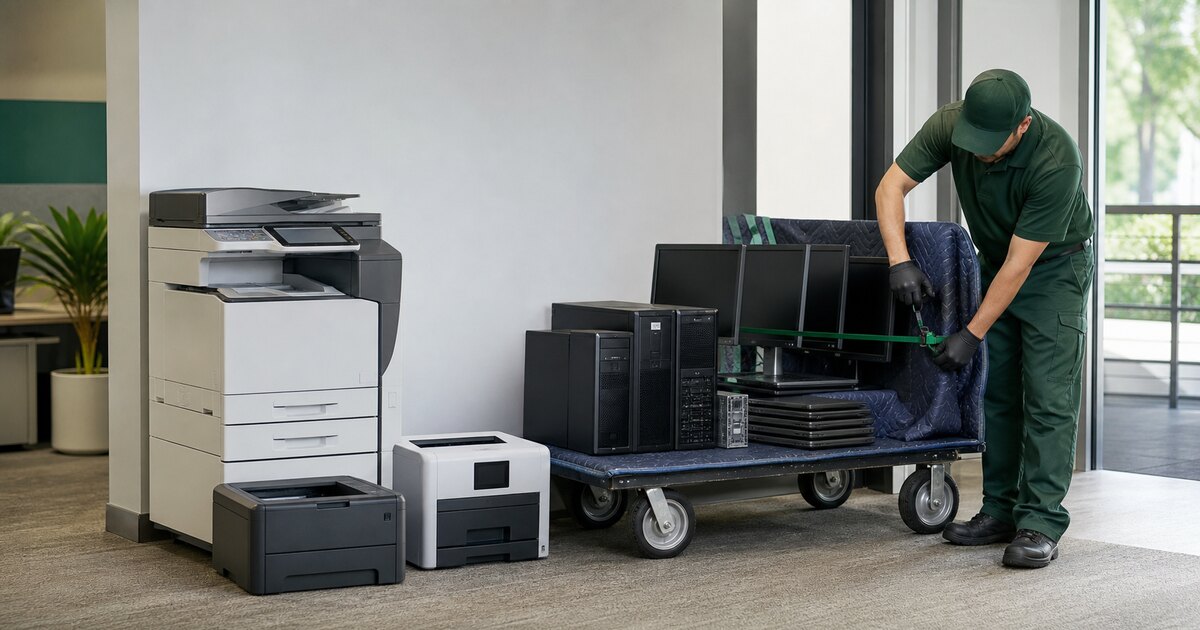
A modern multifunction printer is a computer with paper handling attached. Depending on the model and configuration, it may contain a hard drive, solid-state storage, flash memory, job history, scanned documents, address books, email settings, network credentials, or authentication data.
That does not mean every printer stores every document forever. It means the disposal process should start with the model and configuration—not the assumption that “it only prints.”
Find the data-bearing components
Before releasing a printer or copier:
- record the manufacturer, model, and asset identifier;
- review the vendor’s storage and security documentation;
- check for optional hard-drive or security kits;
- identify removable drives, flash cards, or embedded storage;
- determine whether the device is leased;
- confirm whether the lessor owns the drive or requires a return process;
- note administrator credentials and management-platform ties.
Do not disassemble a leased or unfamiliar floor-standing copier without authorization and safe service instructions.
Decommission accounts and destinations
Printer retirement is not only about local storage. Remove or change:
- scan-to-email accounts;
- address books and saved destinations;
- SMB or file-share credentials;
- cloud-print registrations;
- LDAP or directory settings;
- wireless profiles and certificates;
- stored PINs and user codes;
- vendor remote-management access.
A local wipe cannot revoke credentials that still work elsewhere.
Choose the media treatment
Some devices provide vendor-supported overwrite or erase functions. Others require removal and separate handling of the data-bearing media. The correct path depends on the exact model, media, policy, lease terms, and the customer’s risk decision.
GreenIT Pickup uses a media process aligned with NIST SP 800-88 Rev. 2 guidance when the media supports the selected sanitization technique. This is not NIST certification or approval.
If policy requires physical destruction, a removable drive may be eligible for witnessed on-site crushing. GreenIT can also scope serialized before-and-after documentation. Embedded flash and other media must be evaluated rather than assumed to fit the same crusher.
The ride-along rule for free pickup
GreenIT Pickup can accept approved printers and copiers with a qualifying business IT load. They do not qualify for free pickup by themselves.
A qualifying load may include useful:
- servers and storage;
- business desktops and laptops;
- enterprise switches, routers, and firewalls;
- related data-center or network equipment.
The printer or copier can then be evaluated as a ride-along item. Size, weight, stairs, dock access, loose toner, attachments, data media, and overall project economics still affect acceptance.
This is intentionally different from advertising “free copier pickup” with no conditions. The useful IT equipment in the load helps support the trip and processing work.
What to send for a fast answer
Provide:
- Wide photos of the complete IT load.
- A separate photo of each floor-standing printer or copier.
- Model labels when accessible.
- The pickup ZIP code and floor.
- Elevator, dock, parking, or stair details.
- Whether the unit is leased.
- Any known storage media or destruction requirement.
- Loose toner, extra trays, finishers, or other attachments.
GreenIT comes to qualifying DFW businesses, so staff do not have to transport bulky devices to a drop-off. See the business printer and copier recycling service or send the full-load photos.
Need IT Equipment Picked Up?
GreenIT Pickup provides free onsite pickup for qualifying B2B IT equipment loads across the Dallas-Fort Worth metroplex, so your team does not have to transport equipment to a drop-off.
Related Services
Related Articles
Data Destruction Services for Businesses
A DFW business guide to NIST SP 800-88 Rev. 2-aligned sanitization, on-site drive crushing, documentation and qualifying equipment pickup.
Data SecurityDFW Cybersecurity Events 2026: Hardware Checklist
Three October 2026 cybersecurity events are coming to Dallas and Plano. Add retired servers, drives and network equipment to your security checklist.
Data SecurityHard Drive Shredding Cost: 2026 Guide
Learn what shapes hard drive destruction pricing, when sanitization may fit, and how equipment value can offset scoped on-site drive crushing in DFW.